Advanced Usage of Groups
Previous Review: Item Groups
Named Item Groups
In addition to passing multiple items directly to Group(...), you can also use the NamedGroup class to create a group with named child items, for example:
group = NamedGroup(title=..., content=...)
Methods such as add() and remove() on named item groups also support using keyword arguments to add or remove named child items.
You can access its named child items using syntax like group['content'], for example:
pair = NamedGroup(src=Circle(), target=Square())

self.play(Transform(pair['src'], pair['target']))
For more information, see the documentation to NamedGroupMixin and NamedGroup.
Batch Copying of Items
For example, for a circle item Circle(), we can use * number after it to mean “copy the specified number of circles and put them in a Group”:

circles = Circle() * 5
circles.points.arrange()
self.show(circles)circles = Circle() * 5
circles.points.arrange()
self.show(circles)
Tip
Copied items will all maintain the same properties and state, so they will overlap. If you want them arranged, using arrange() or arrange_in_grid() would be convenient approaches.
Here is another example:
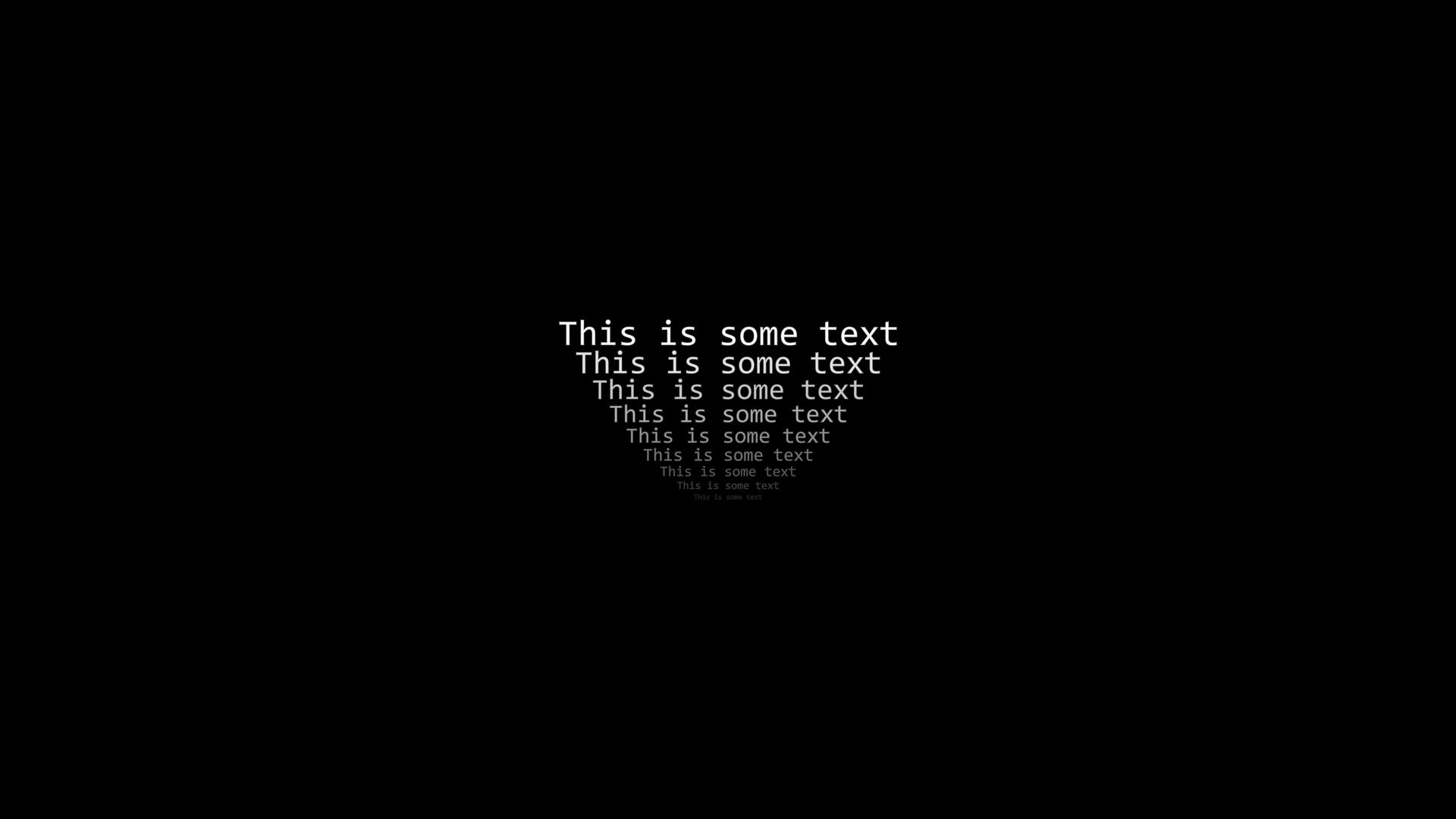
txts = Text('This is some text') * 9

for i, txt in enumerate(txts):
    txt.points.scale(1 - 0.1 * i)
    txt.color.fade(0.1 * i)

txts.points.arrange(DOWN, buff=0.05)
self.show(txts)txts = Text('This is some text') * 9

for i, txt in enumerate(txts):
    txt.points.scale(1 - 0.1 * i)
    txt.color.fade(0.1 * i)

txts.points.arrange(DOWN, buff=0.05)
self.show(txts)
Advanced Indexing of Item Groups
We already know the basic usage of indexing. We can use subscript to index child items, or use slicing to get a group of child items:
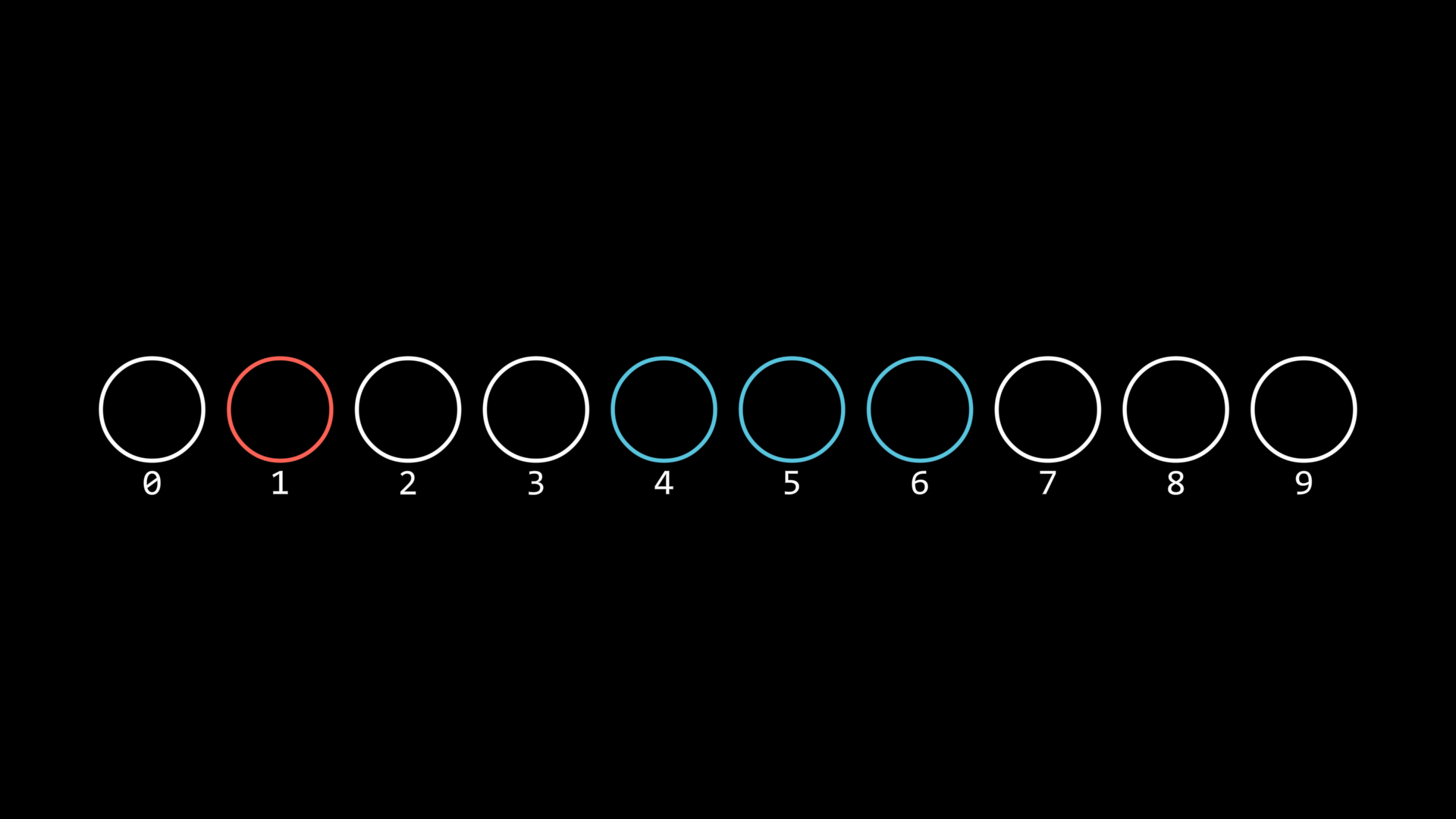
circles = Circle(radius=0.5) * 10
circles.points.arrange()
circles[1].set(color=RED)
circles[4:7].set(color=BLUE)
circles.show()

for i, circle in enumerate(circles):
    txt = Text(str(i), font_size=12).show()
    txt.points.next_to(circle, DOWN, buff=SMALL_BUFF)circles = Circle(radius=0.5) * 10
circles.points.arrange()
circles[1].set(color=RED)
circles[4:7].set(color=BLUE)
circles.show()

for i, circle in enumerate(circles):
    txt = Text(str(i), font_size=12).show()
    txt.points.next_to(circle, DOWN, buff=SMALL_BUFF)
In addition to these two basic methods, you can also use the following:
circles = Circle(radius=0.5) * 10
circles.points.arrange()
circles.show()

for i, circle in enumerate(circles):
    txt = Text(str(i)).show()
    txt.points.next_to(circle, DOWN, buff=SMALL_BUFF)

self.forward()
self.play(
    circles[1, 3, 6, 7].anim.set(color=RED, fill_alpha=0.7)
)
self.forward()
self.play(
    circles[True, False, True, True].anim.set(color=BLUE, fill_alpha=0.7)
)
self.forward()circles = Circle(radius=0.5) * 10
circles.points.arrange()
circles.show()

for i, circle in enumerate(circles):
    txt = Text(str(i)).show()
    txt.points.next_to(circle, DOWN, buff=SMALL_BUFF)

self.forward()
self.play(
    circles[1, 3, 6, 7].anim.set(color=RED, fill_alpha=0.7)
)
self.forward()
self.play(
    circles[True, False, True, True].anim.set(color=BLUE, fill_alpha=0.7)
)
self.forward()
circles[1, 3, 6, 7]
Here, multiple indices [1, 3, 6, 7] are used to set these child items to red
circles[True, False, True, True]
Here, boolean indexing [True, False, True, True] is used; that is, child items at positions corresponding to True are set to blue in order.Here boolean indexing [True, False, True, True] is used, i.e., in order, set child items at positions corresponding to True to blue
Traversing Descendant Items
In addition to using descendants() to get all descendant items, you can also use walk_descendants() to specify what type of descendant items to get:
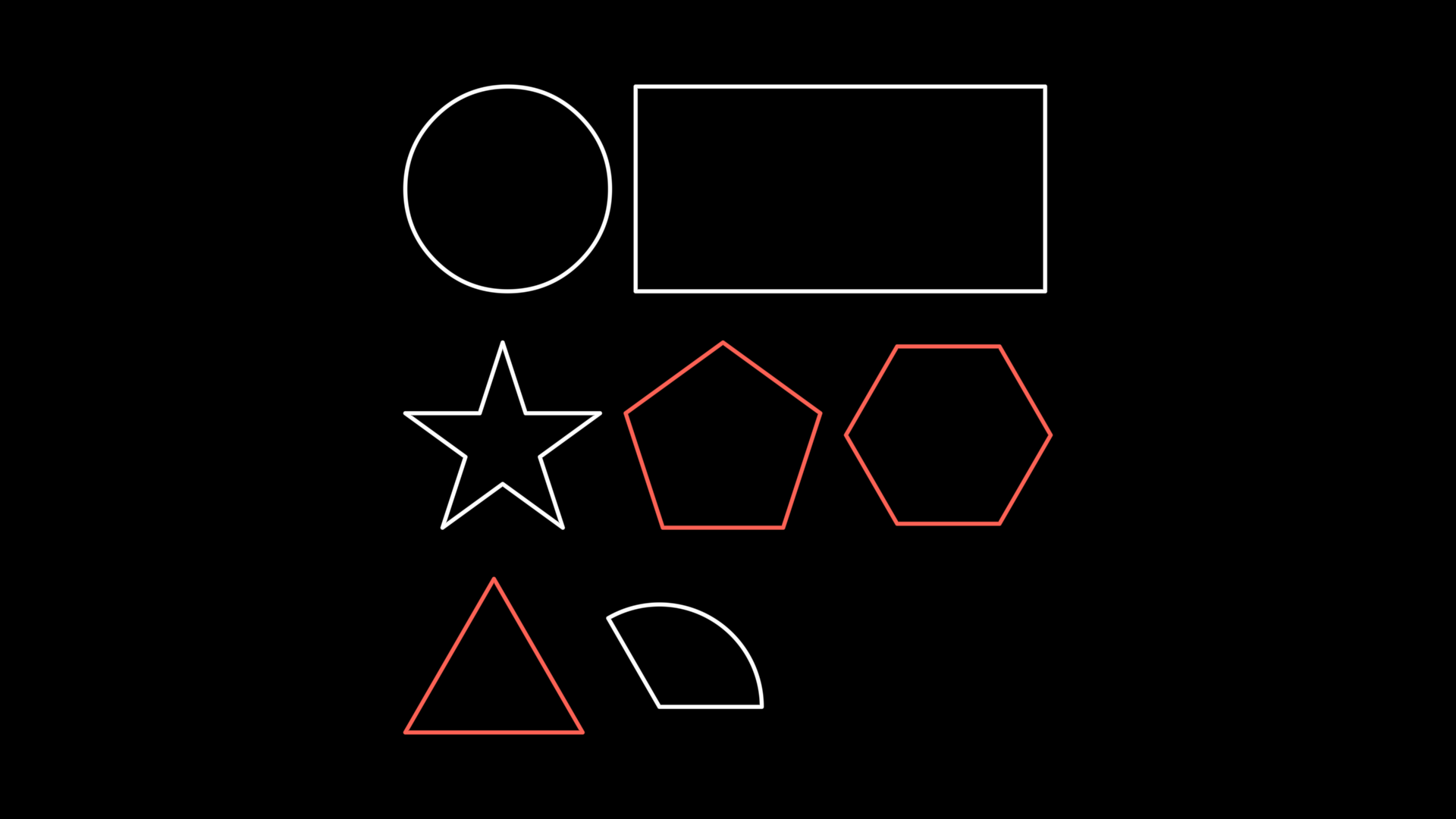
group1 = Group(Circle(), Rect())
group2 = Group(Star(), RegularPolygon(5), RegularPolygon(6))
group3 = Group(Triangle(), Sector(angle=120 * DEGREES))

group = Group(group1, group2, group3).show()
for subgroup in group:
    subgroup.points.arrange()
group.points.arrange(DOWN, buff=MED_LARGE_BUFF, aligned_edge=LEFT)

selected = Group.from_iterable(group.walk_descendants(RegularPolygon))
selected.set(color=RED)group1 = Group(Circle(), Rect())
group2 = Group(Star(), RegularPolygon(5), RegularPolygon(6))
group3 = Group(Triangle(), Sector(angle=120 * DEGREES))

group = Group(group1, group2, group3).show()
for subgroup in group:
    subgroup.points.arrange()
group.points.arrange(DOWN, buff=MED_LARGE_BUFF, aligned_edge=LEFT)

selected = Group.from_iterable(group.walk_descendants(RegularPolygon))
selected.set(color=RED)
Hint
In this example, Triangle is derived from RegularPolygon, so it is also selected