Bounding Box
Brief Introduction
Bounding box is an important concept for geometric items. Specifically, a bounding box is a circumscribed rectangle that reflects the coordinate range of an item.
The following shows the circumscribed rectangles, i.e., bounding box regions, of various common geometric shapes:
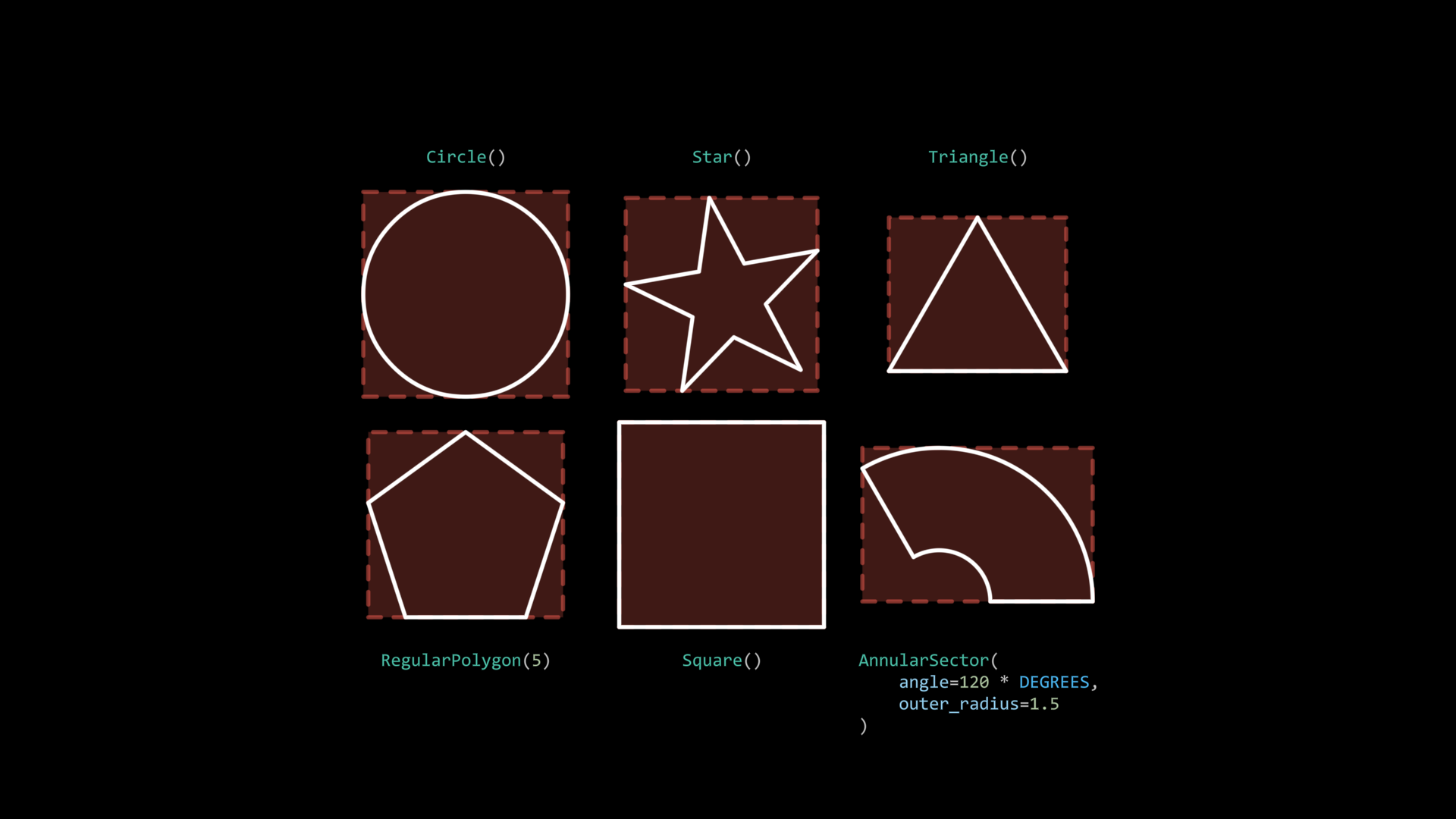
It can be seen that the red bounding rectangle in the background exactly frames the geometric shapes, with the four edges of the rectangle covering the leftmost, rightmost, topmost, and bottommost parts of the shapes.
Hint
Only unrotated rectangles completely coincide with their bounding boxes
Bounding boxes are exactly how JAnim handles Relative Placement in the previous section - they essentially align and place items based on the items’ bounding boxes.
Getting Key Coordinates
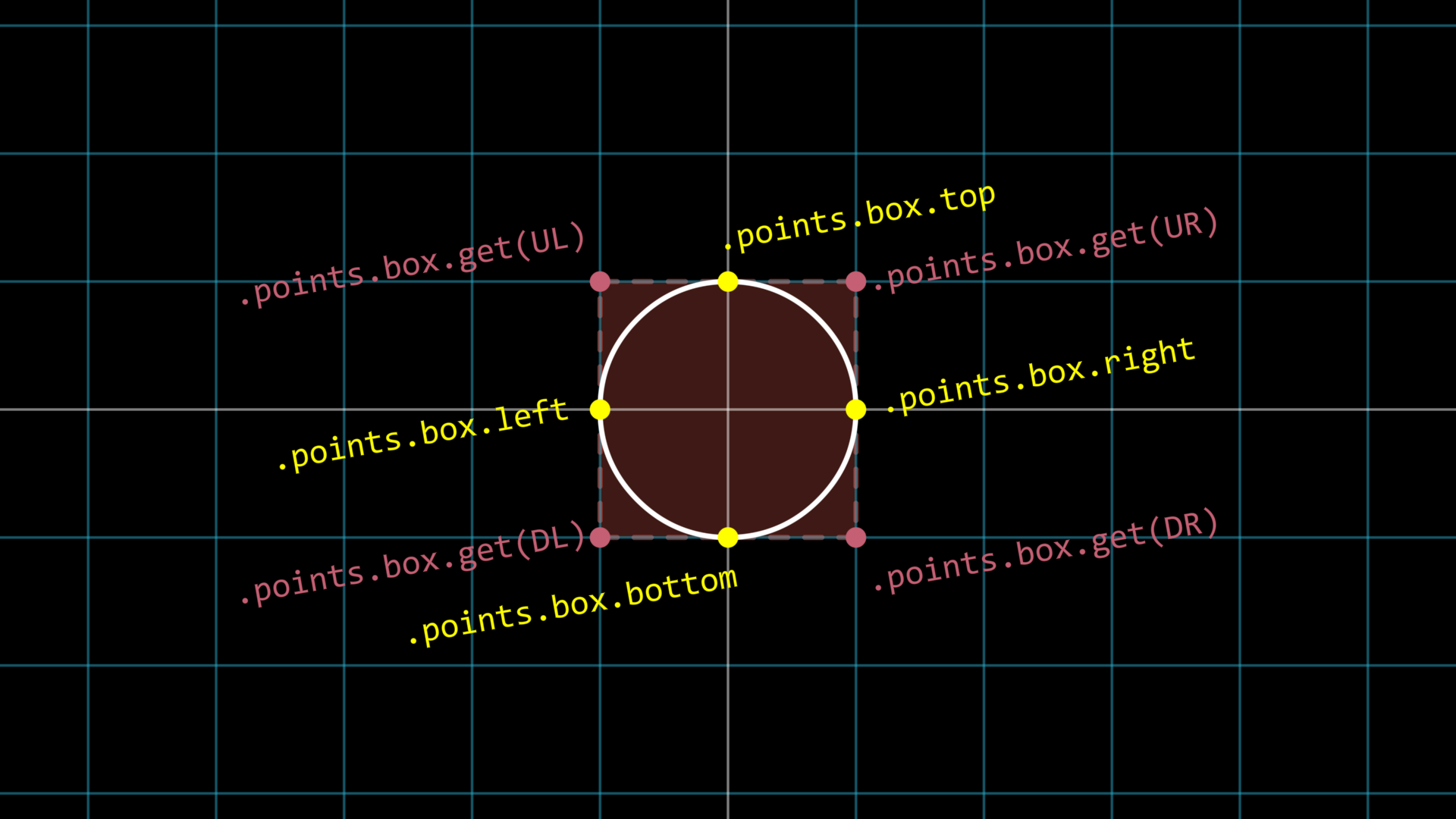
If you want to get the positions of several special points on the bounding box, such as the left center point, right center point, etc., taking a unit circle as an example:
circle = Circle().show()

print(circle.points.box.left)       # [-1.0, 0.0, 0.0]
print(circle.points.box.top)        # [0.0, 1.0, 0.0]
print(circle.points.box.get(DR))    # [1.0, -1.0, 0.0]
It can be found that all information about the bounding box can be obtained through .points.box; if you have a large need to access bounding box information, you can even assign .points.box to a variable first, and then use this variable to get bounding box related information:
circle = Circle().show()
box = circle.points.box

print(box.left, box.top, box.get(DR))
# [-1.0, 0.0, 0.0] [0.0, 1.0, 0.0] [1.0, -1.0, 0.0]

circle.points.shift(RIGHT)
new_box = circle.points.box

print(box.left, box.top, box.get(DR))
# [-1.0, 0.0, 0.0] [0.0, 1.0, 0.0] [1.0, -1.0, 0.0]

print(new_box.left, new_box.top, new_box.get(DR))
# [0.0, 0.0, 0.0] [1.0, 1.0, 0.0] [2.0, -1.0, 0.0]
Hint
After the item moves, the previously assigned box variable still retains the original information
In addition to using the above methods to get points around the bounding box, you can also get the center point of the bounding box through .points.box.center
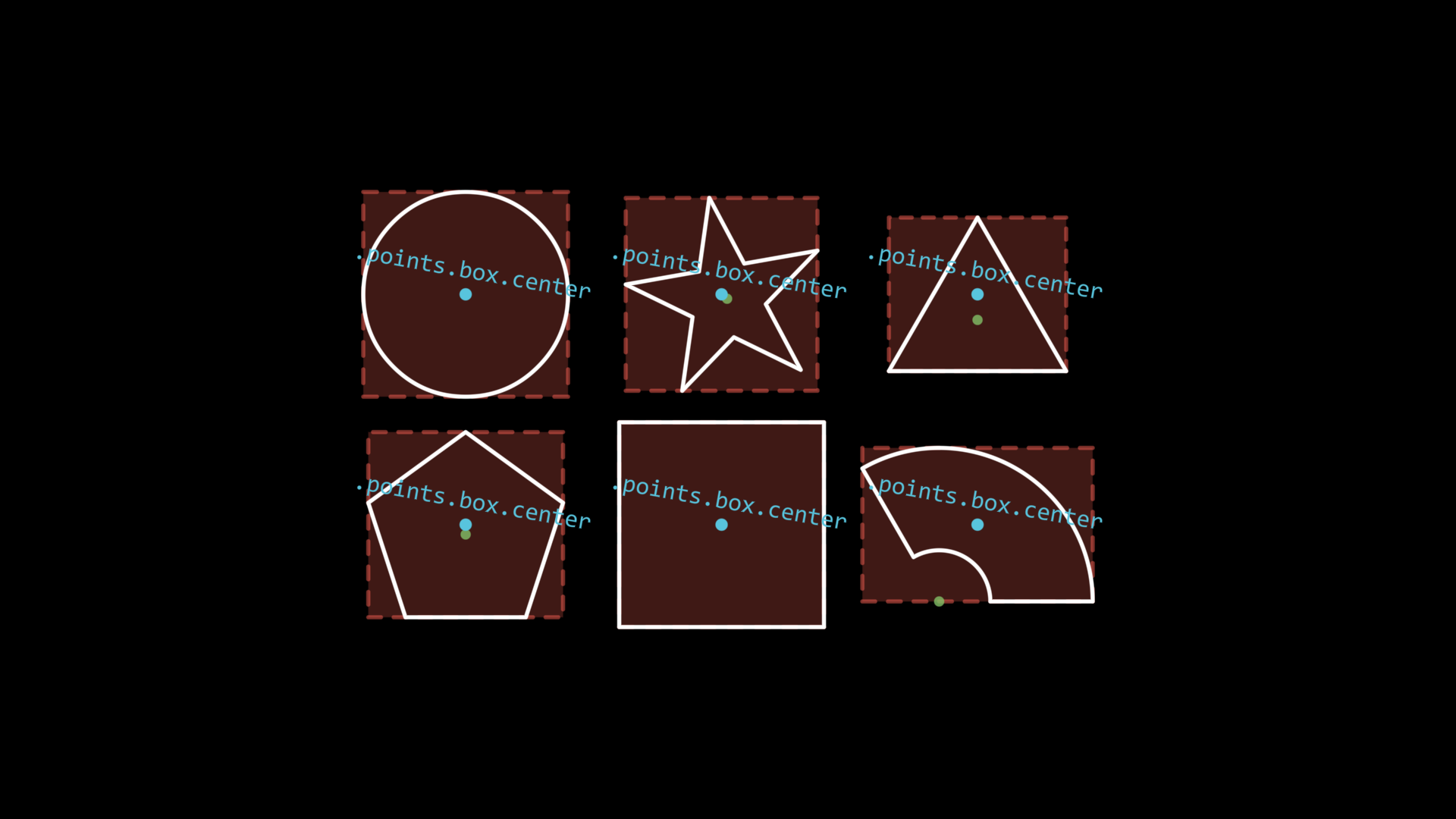
In fact, the center point of the bounding box is exactly the reference position for functions like move_to(): when you use move_to to try to move an item to a certain position, what JAnim does is move the item so that its bounding box center point reaches the position you specified.
Limitations of Bounding Boxes
Bounding boxes’ characterization of item geometric features is sufficient for most needs, but when we discuss “geometric center”, the bounding box center often does not coincide with the shape’s “geometric center”.
You may have noticed the points marked in light green in the figure above, which are their geometric centers: only circles and squares have bounding box centers that coincide with geometric centers, while the bounding box centers of other shapes deviate from their geometric centers.
The geometric centers of these geometric shapes, i.e., the light green points, are marked with additional markers in JAnim. You can get them through .mark.get(), for example:
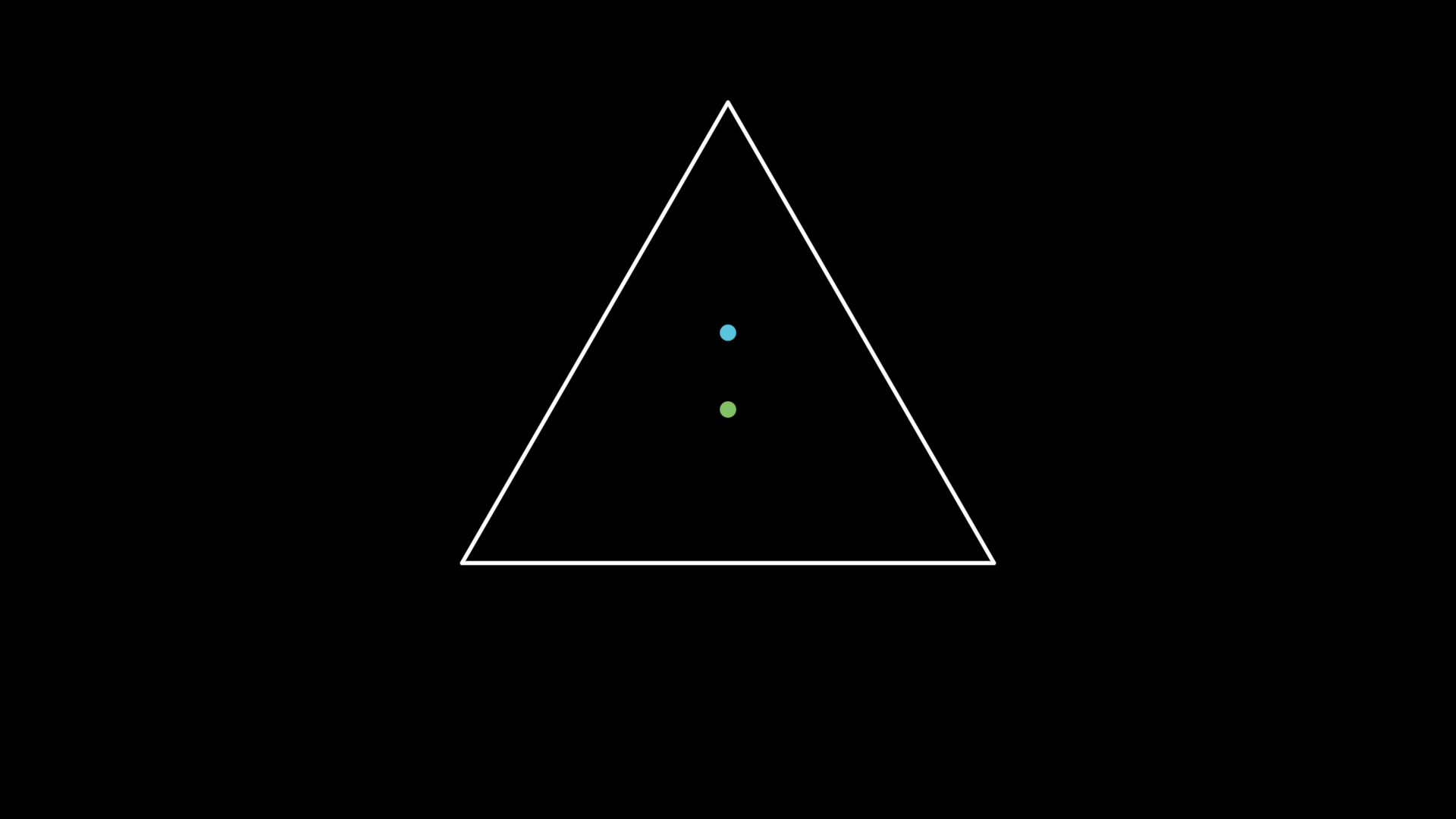
tri = Triangle(radius=3).show()

Dot(tri.points.box.center, color=BLUE).show()
Dot(tri.mark.get(), color=GREEN).show()
For related content, refer to MarkedItem and Cmpt_Mark