Depth Details
Basic Knowledge
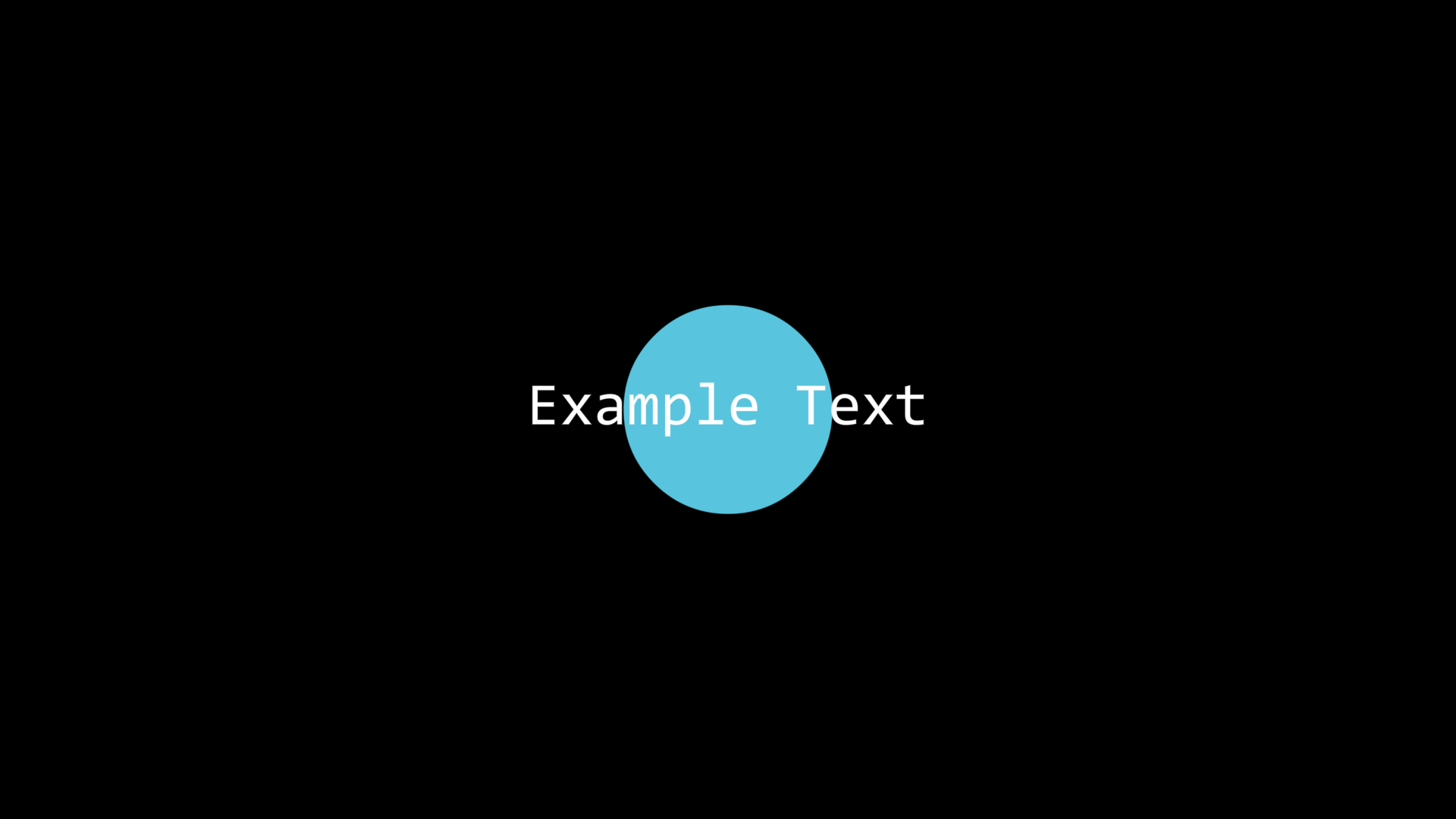
JAnim’s depth mechanism controls the drawing order of items. Items with greater depth will be occluded by items with lower depth:
txt = Text('Example Text', font_size=40).show()
circle = Circle(color=BLUE, fill_alpha=1, depth=1).show()
In the above example, we set the circle’s depth to 1, while the text’s depth defaults to 0, so the circle will be occluded by the text.
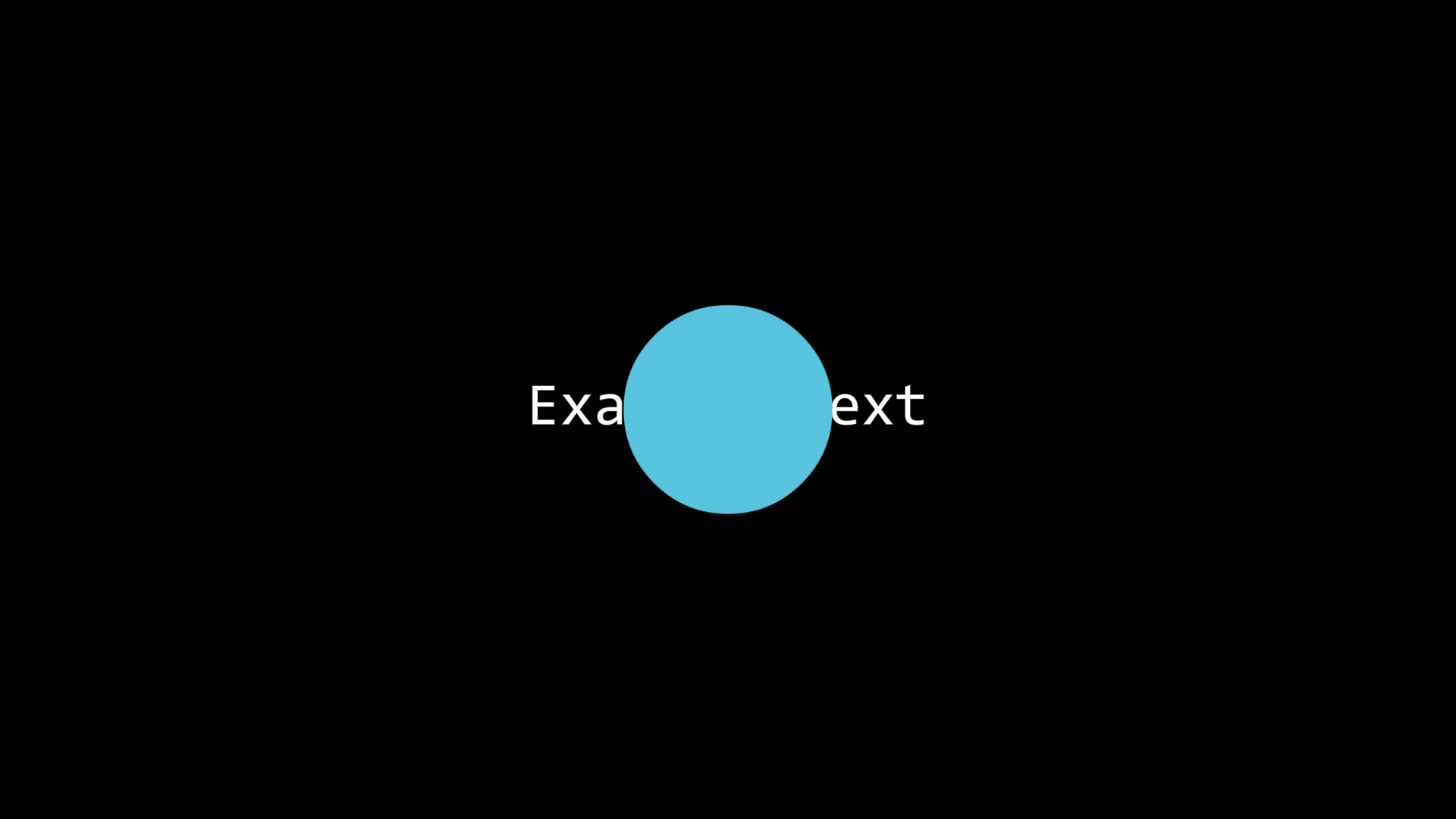
If two items have the same depth, their occlusion relationship follows the principle of “items created earlier will be occluded”, i.e., “items created later will be displayed in front of other items”:
txt = Text('Example Text', font_size=40).show()
circle = Circle(color=BLUE, fill_alpha=1).show()
In the above example, both text and circle have depth 0, but the text will be occluded by the circle because the text was created first and the circle was created later.
Resetting Depth
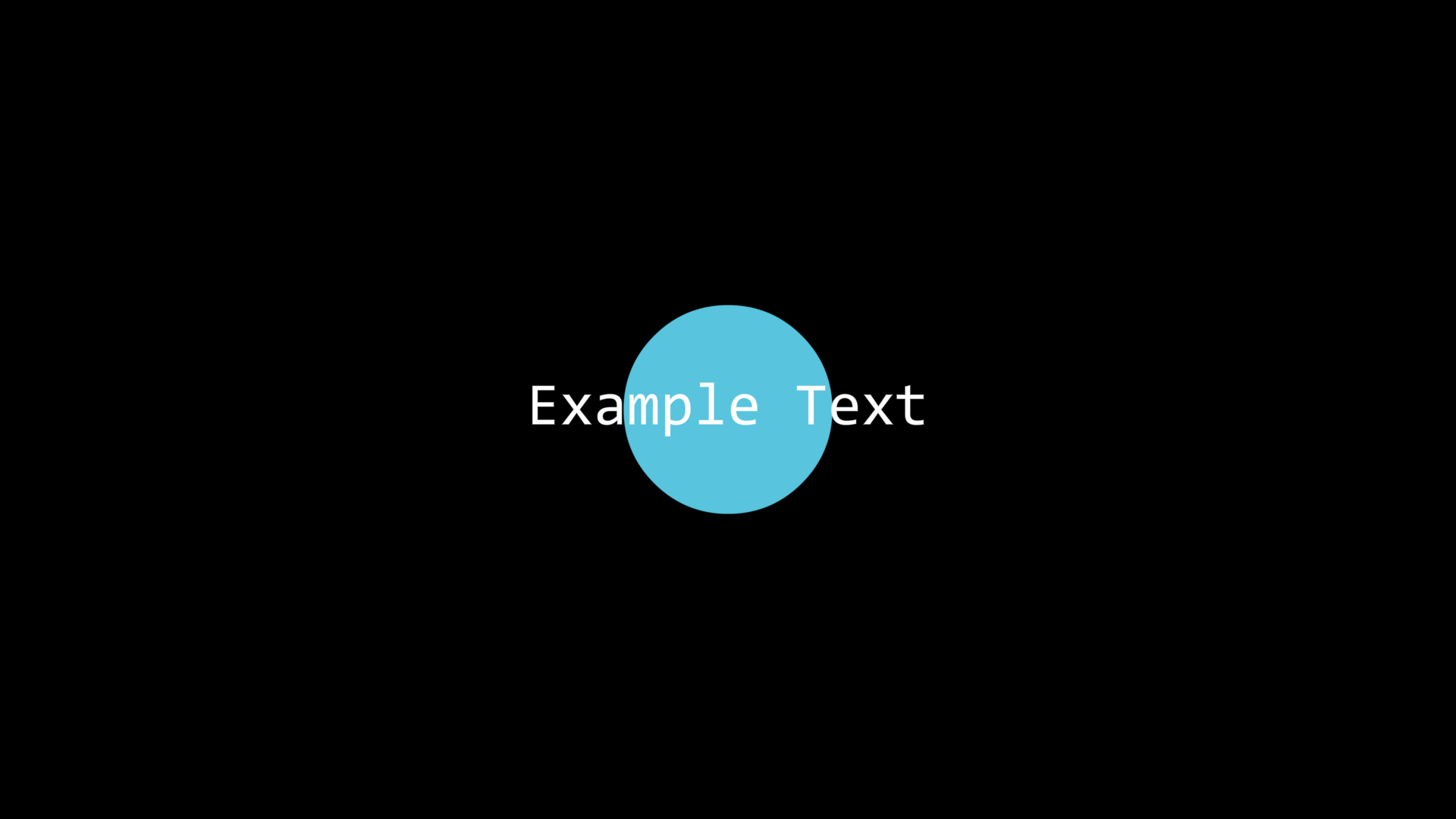
For items with the same depth, when needed, you can reset their depth to update their occlusion relationships:
txt = Text('Example Text', font_size=40).show()
circle = Circle(color=BLUE, fill_alpha=1).show()

txt.depth.set(0)
Thus, although the text’s depth was initially 0, we set its depth to 0 again through txt.depth.set(0), updating the order of depth settings, so the text appears in front of the circle again.
Note
So, the essence of “items created later will be displayed in front of other items” mentioned above is actually:
“Items with depth set later will be displayed in front of other items”
Of course, this principle only applies when depths are the same.
Depth Arrangement
When placing multiple items into a Group, their original depths will not be changed, for example for
star = Star(fill_alpha=1, outer_radius=1.5, color=YELLOW).show()
star.points.shift(UL)

circle = Circle(fill_alpha=1, color=BLUE).show()
circle.points.shift(UR)

square = Square(fill_alpha=1, color=PURPLE).show()
We can obviously know that the circle will be displayed in front of the star, and the square will be displayed in front of the circle.
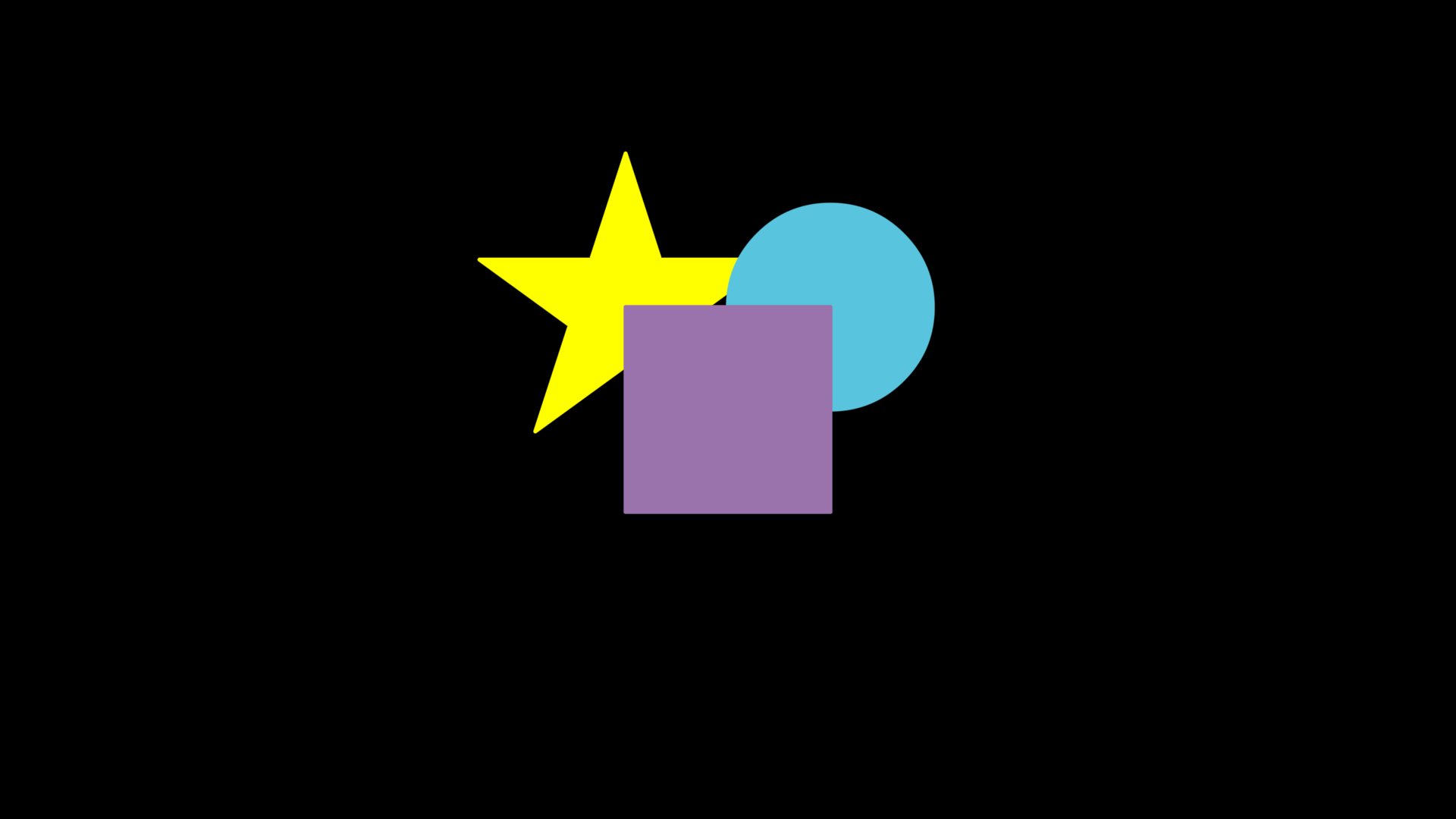
Even if they are all placed in a Group, the depth will not be adjusted according to the order they appear in the Group, still maintaining the original depth:
star = Star(fill_alpha=1, outer_radius=1.5, color=YELLOW).show()
star.points.shift(UL)

circle = Circle(fill_alpha=1, color=BLUE).show()
circle.points.shift(UR)

square = Square(fill_alpha=1, color=PURPLE).show()

group = Group(square, circle, star)
In the above example, we deliberately put star circle square in reverse order into group, and indeed the star is still at the back and the square is at the front.
However, if we use the arrange() method on group at this time, or pass the depth parameter during its construction, it will be reset according to group’s depth:

star = Star(fill_alpha=1, outer_radius=1.5, color=YELLOW).show()
star.points.shift(UL)

circle = Circle(fill_alpha=1, color=BLUE).show()
circle.points.shift(UR)

square = Square(fill_alpha=1, color=PURPLE).show()

group = Group(square, circle, star)
group.depth.arrange()
It can be seen that after executing arrange(), the square is at the back and the star appears at the front.
Principles of Rendering Order
Warning
This section covers the implementations of JAnim, which may be quite complex. If you do not have the need to delve into the source code, you may choose to read it at your discretion.
For items with different depth values, their rendering order is very straightforward - just arrange them according to depth size.
So here we mainly discuss how items with the same depth value achieve “items with depth set later will be displayed in front of other items”.
In fact, depth information is not just the value passed to .set(...), it also hides an “order”. The later an item’s depth is set, the lower its “order” will be. So, for items with the same depth value, JAnim’s method of determining rendering order is to use “order” as the basis.
The specific value of an item’s depth “order” can be obtained using get_raw(), which is a tuple containing two values: (depth, order):
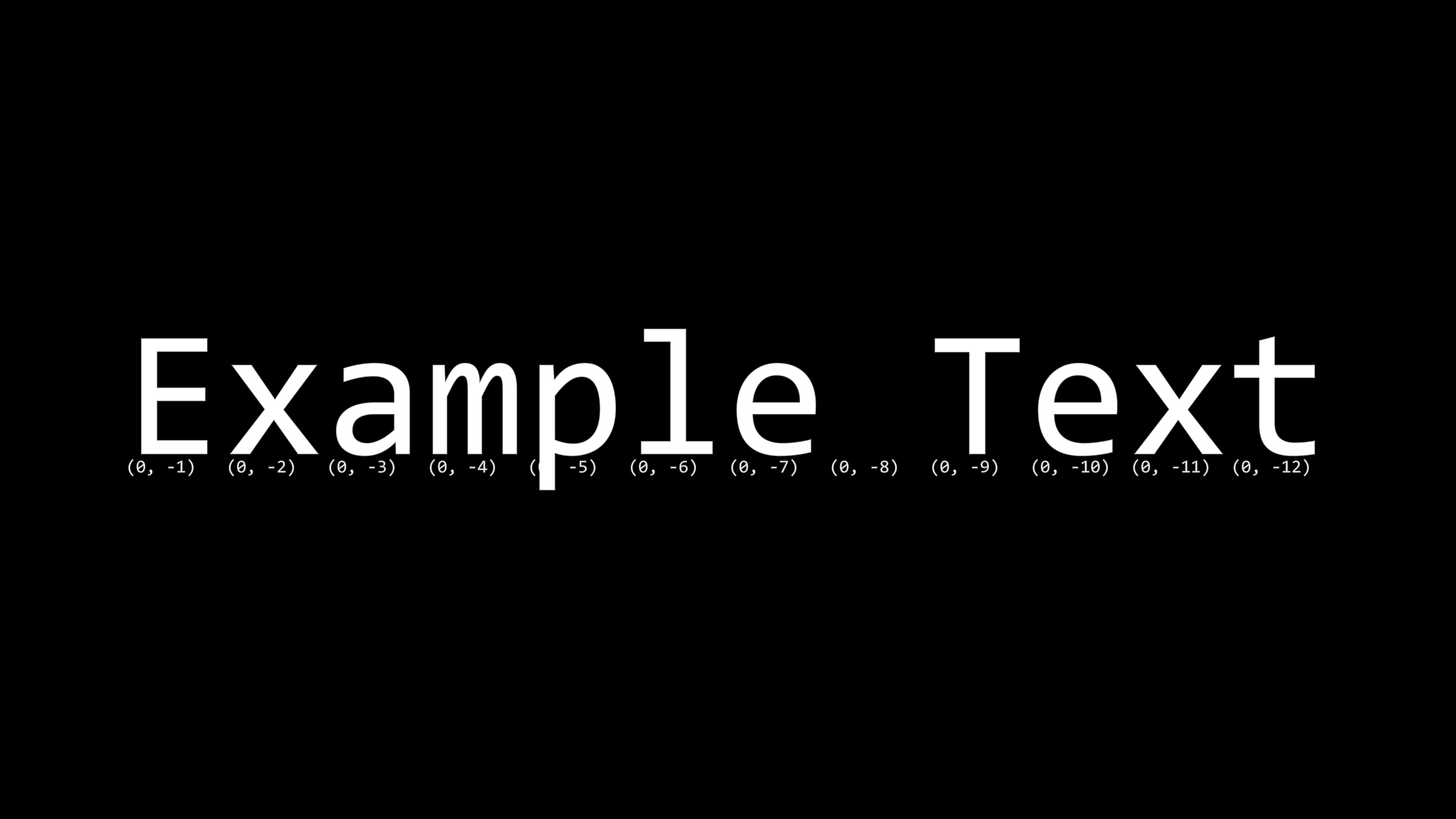
txt = Text('Example Text', font_size=120).show()

for ch in txt[0]:
    num = Text(f'{ch.depth.get_raw()}', font_size=12).show()
    num.points.next_to(ch.get_mark_orig(), DR, buff=0.05)
Warning
During the same program execution, even if the timeline is rebuilt or the animation is exported, the item depth count will not reset. Therefore, in the above example, the displayed value will further decrease after each timeline rebuild.
Therefore, when creating animations, animation effects should never depend on the specific value of item depth “order”, otherwise it will affect the consistency of effects.