物件组进阶使用
前文回顾:物件组
物件的批量复制
举个例子,对于一个圆形物件 Circle(),我们可以在其后面使用 * 数量 表示 “复制出指定数量的圆形,放到一个 Group 中”:

circles = Circle() * 5
circles.points.arrange()
self.show(circles)
小技巧
复制出来的物件都会保持相同的属性和状态,所以他们会重叠在一起,
如果你想让他们排列开来,使用 arrange() 或是 arrange_in_grid() 会是比较方便的做法。
以下是另一个示例:

txts = Text('This is some text') * 9

for i, txt in enumerate(txts):
    txt.points.scale(1 - 0.1 * i)
    txt.color.fade(0.1 * i)

txts.points.arrange(DOWN, buff=0.05)
self.show(txts)
物件组的进阶索引
我们已经知道索引的基础用法,可以使用下标索引子物件,或是使用切片得到一组子物件:
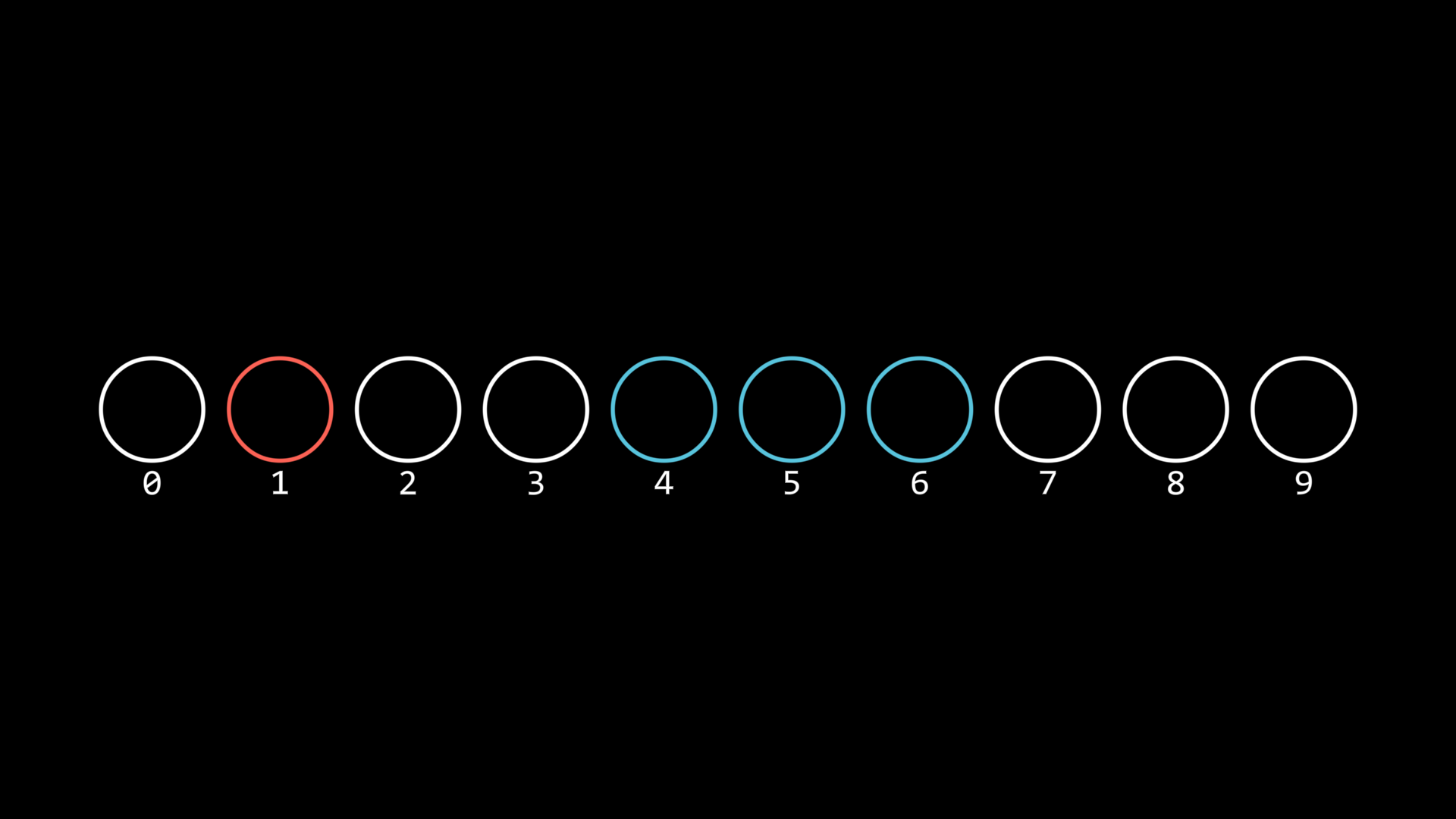
circles = Circle(radius=0.5) * 10
circles.points.arrange()
circles[1].set(color=RED)
circles[4:7].set(color=BLUE)
circles.show()

for i, circle in enumerate(circles):
    txt = Text(str(i), font_size=12).show()
    txt.points.next_to(circle, DOWN, buff=SMALL_BUFF)
除了这两种基础方法,你还可以通过以下方式:
circles = Circle(radius=0.5) * 10
circles.points.arrange()
circles.show()

for i, circle in enumerate(circles):
    txt = Text(str(i)).show()
    txt.points.next_to(circle, DOWN, buff=SMALL_BUFF)

self.forward()
self.play(
    circles[1, 3, 6, 7].anim.set(color=RED, fill_alpha=0.7)
)
self.forward()
self.play(
    circles[True, False, True, True].anim.set(color=BLUE, fill_alpha=0.7)
)
self.forward()
circles[1, 3, 6, 7]
这里使用多个索引 [1, 3, 6, 7],将这些子物件设置为红色
circles[True, False, True, True]
这里使用布尔索引 [True, False, True, True],即为按照顺序,将对应位置为 True 的子物件设置为蓝色
后代物件的遍历
除了使用 descendants() 得到所有后代物件,还可以使用 walk_descendants() 来指定获得什么类型的后代物件:

group1 = Group(Circle(), Rect())
group2 = Group(Star(), RegularPolygon(5), RegularPolygon(6))
group3 = Group(Triangle(), Sector(angle=120 * DEGREES))

group = Group(group1, group2, group3).show()
for subgroup in group:
    subgroup.points.arrange()
group.points.arrange(DOWN, buff=MED_LARGE_BUFF, aligned_edge=LEFT)

selected = Group.from_iterable(group.walk_descendants(RegularPolygon))
selected.set(color=RED)
提示
在这个例子中,Triangle 派生自 RegularPolygon,所以它也被选中了